
New in 1.4
Build your list on the fly
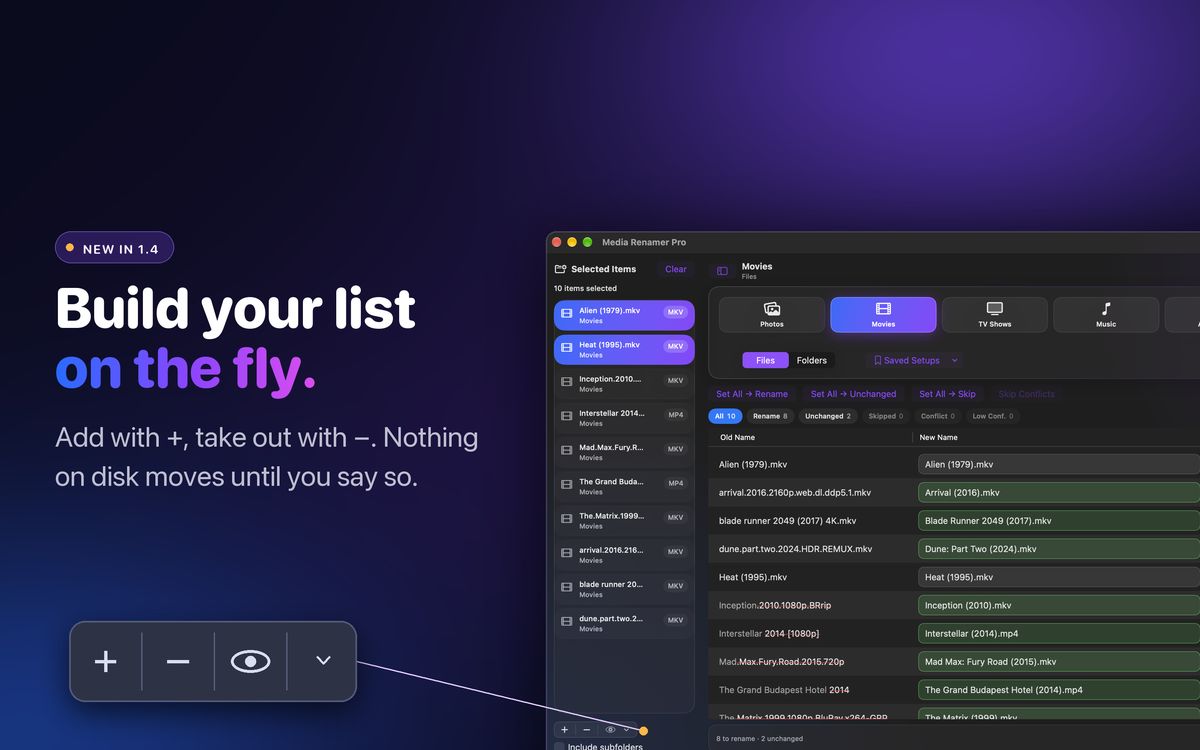
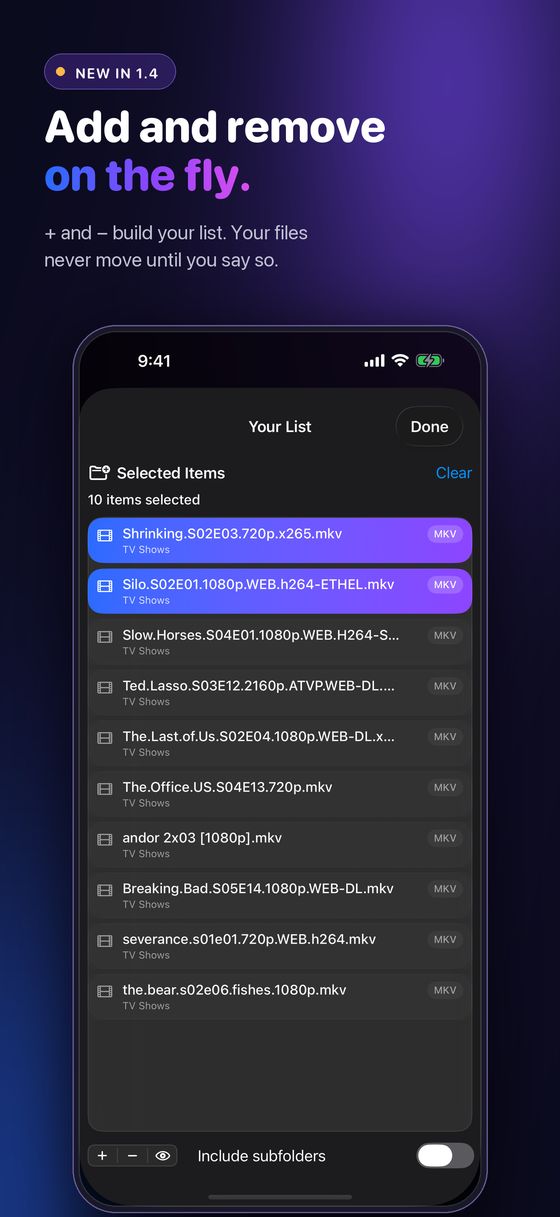
New + and − buttons under your file list. Add more files or folders any time without starting over. − only takes a row off the list, your files are never touched, and the same file is never added twice.
Version 1.4: the workflow update
Media Renamer Pro reads what is inside your movies, TV episodes, photos, music, audiobooks and game ROMs, looks up the real title when that helps, and shows you the whole rename plan before anything moves.
The.Last.of.Us.S02E04.1080p.WEB-DL.x265-GRP.mkv
The Last of Us S02E04 Day One.mkv
US $4.99 once. Mac, iPad and iPhone. No subscription, no ads, no account.
New in 1.4
The workflow update. Thanks to the customer who mocked up these ideas.
New + and − buttons under your file list. Add more files or folders any time without starting over. − only takes a row off the list, your files are never touched, and the same file is never added twice.
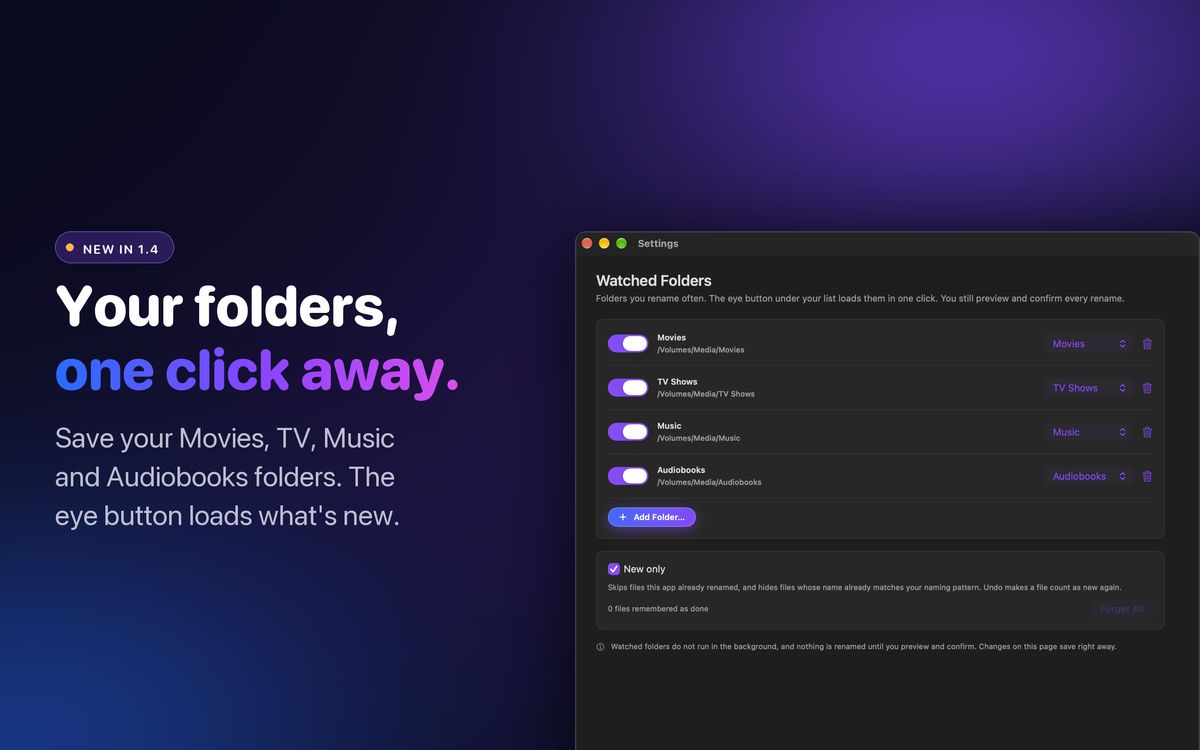
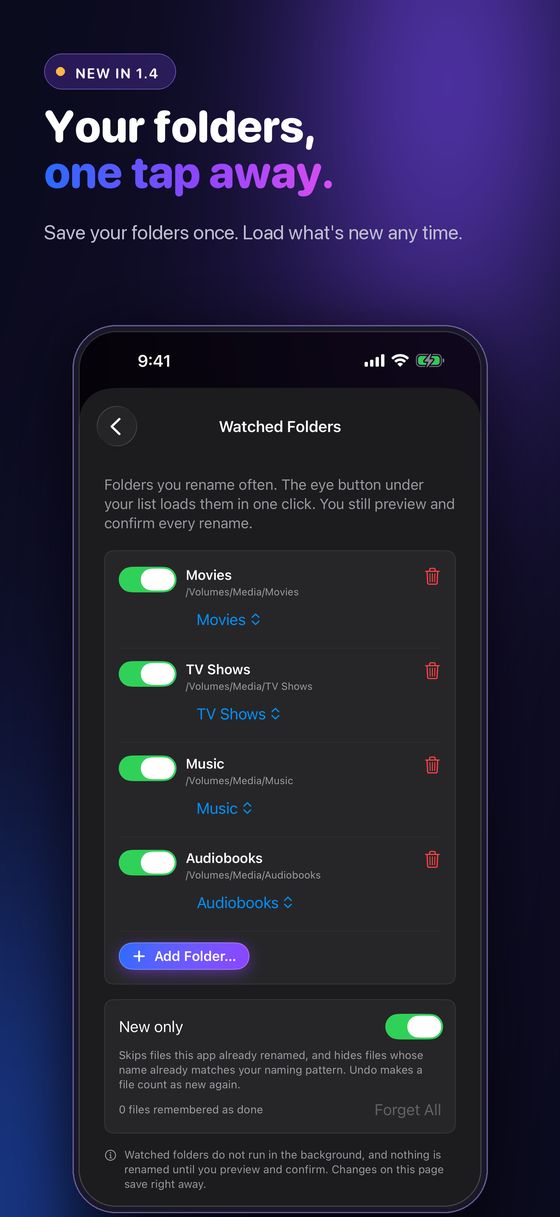
Save the folders you rename most, like a shared Movies or TV folder. The eye button loads them for the type you are renaming. New only skips what you already renamed, and a NAS that is not connected says so instead of failing quietly.
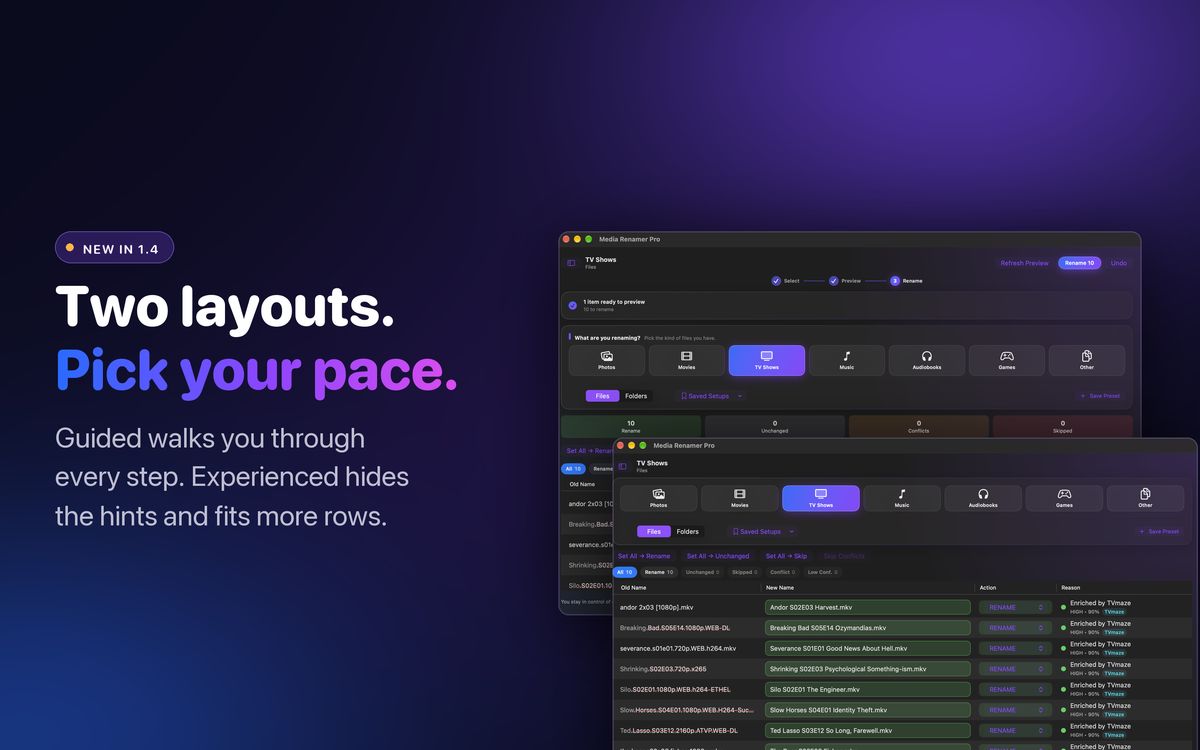
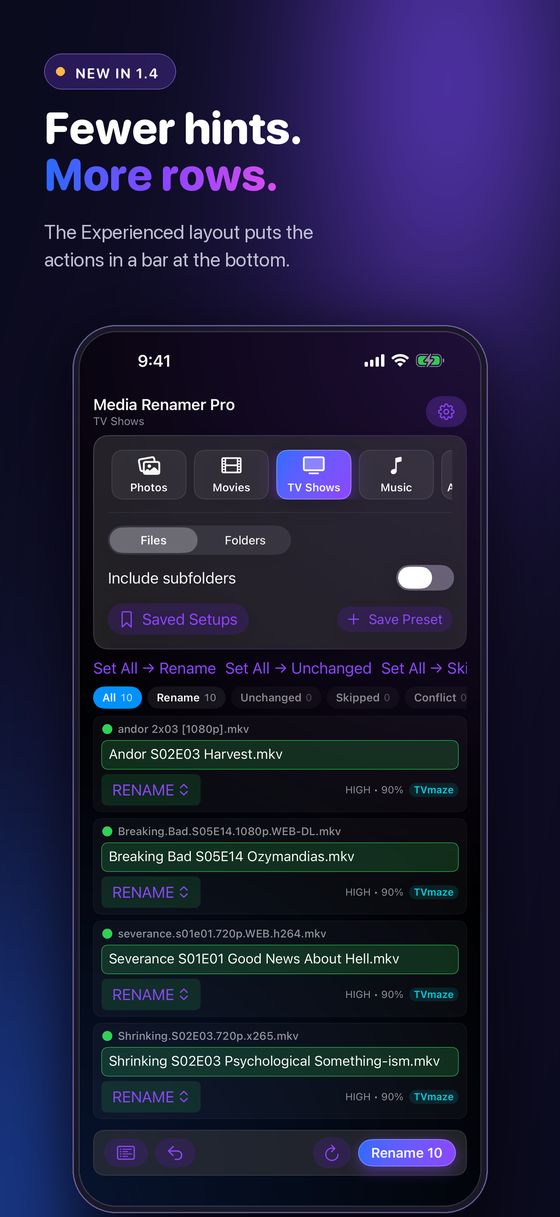
Guided walks you through every step. Experienced hides the hints, tightens the spacing and moves Preview, Rename and Undo to a bar at the bottom, so more rows fit.
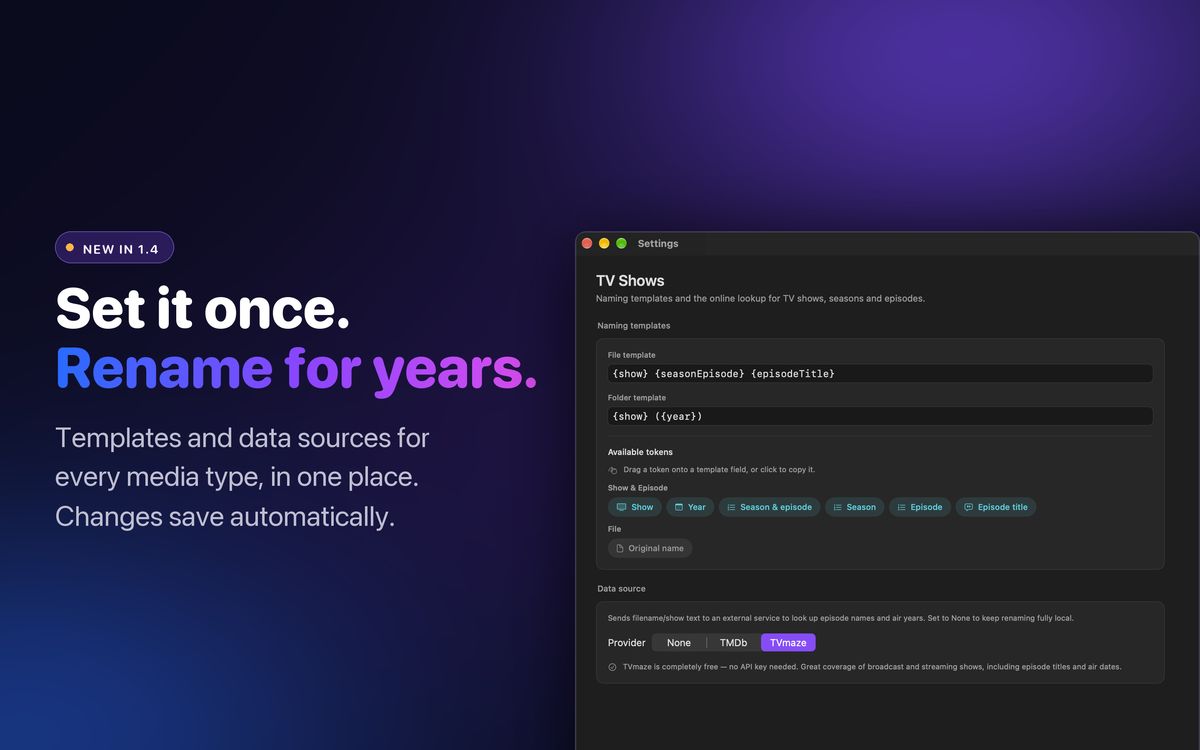
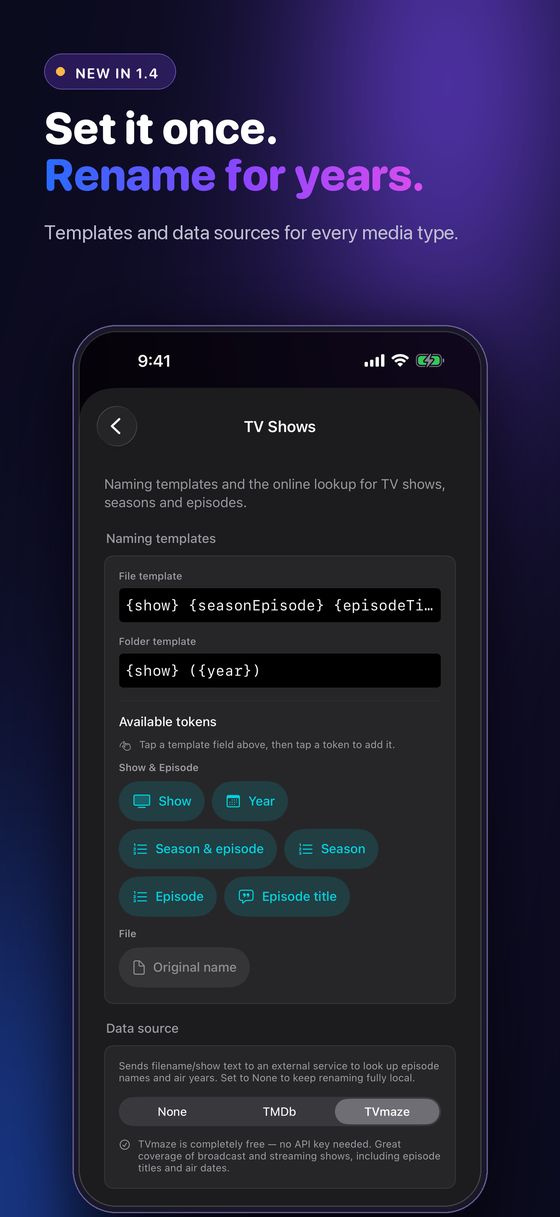
A sidebar instead of rows of tabs, and each page grouped into Naming templates and Data source. Changes save automatically. No more Save button.
Want the full walkthrough? Read how to rename only the new files in a folder.
Six kinds of media
Most renamers stop at TV and movies. This one covers the rest of what is actually on your drives, each with its own naming template and data source.
Real episode titles from TVmaze, TMDb and OMDb, in the SxxExx format Plex, Jellyfin and Emby expect.
The correct title and year, with the scene tags stripped out. Folders mode renames whole movie folders.
Date taken, camera, city, and on-device AI scene descriptions with Apple Vision.
Artist, album and track number from the tags already inside the file.
Author and title from Google Books and OpenLibrary, with a chapters mode for multipart books.
Clean titles and region tags from IGDB and RAWG, with a platform-aware era check.
How it works
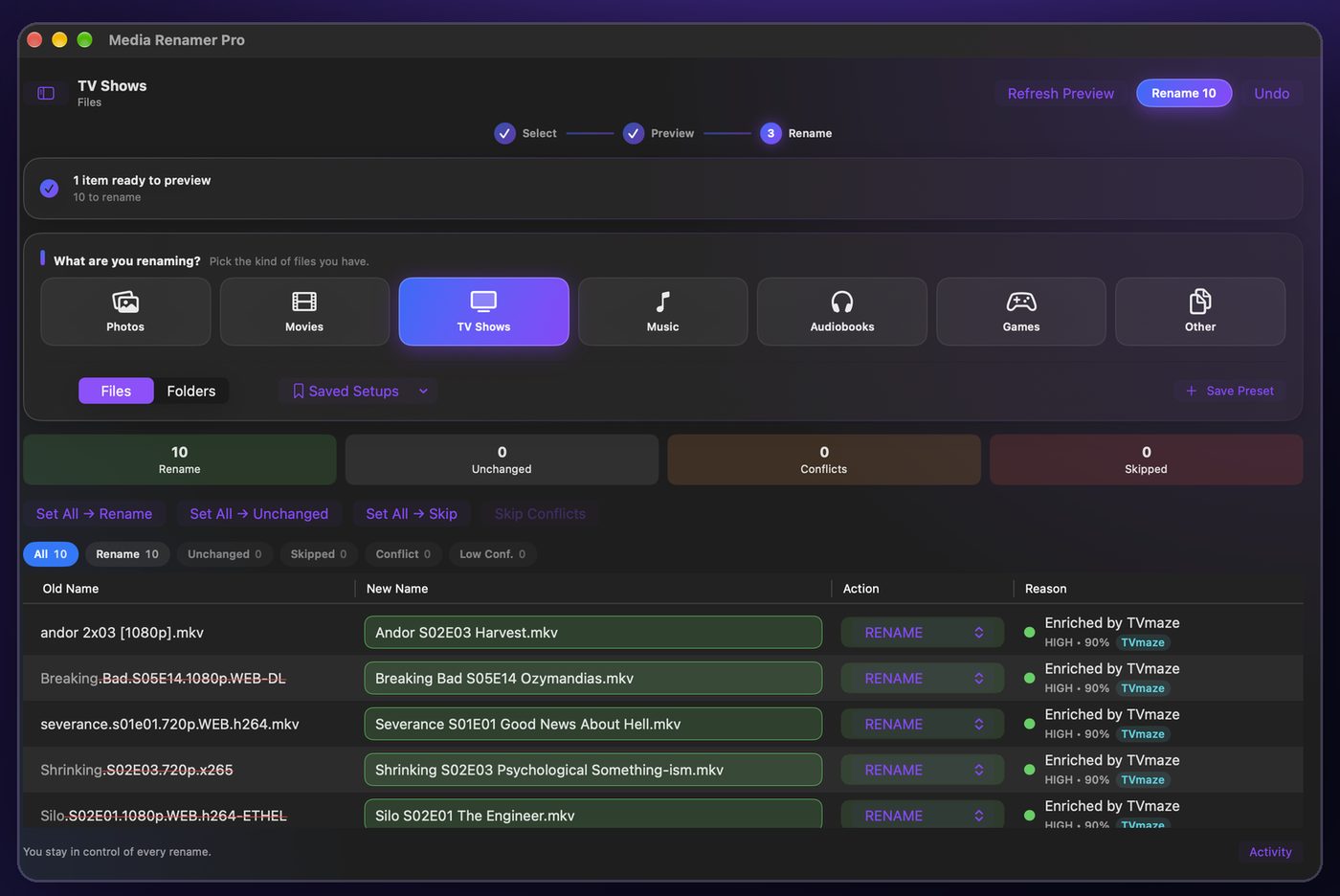
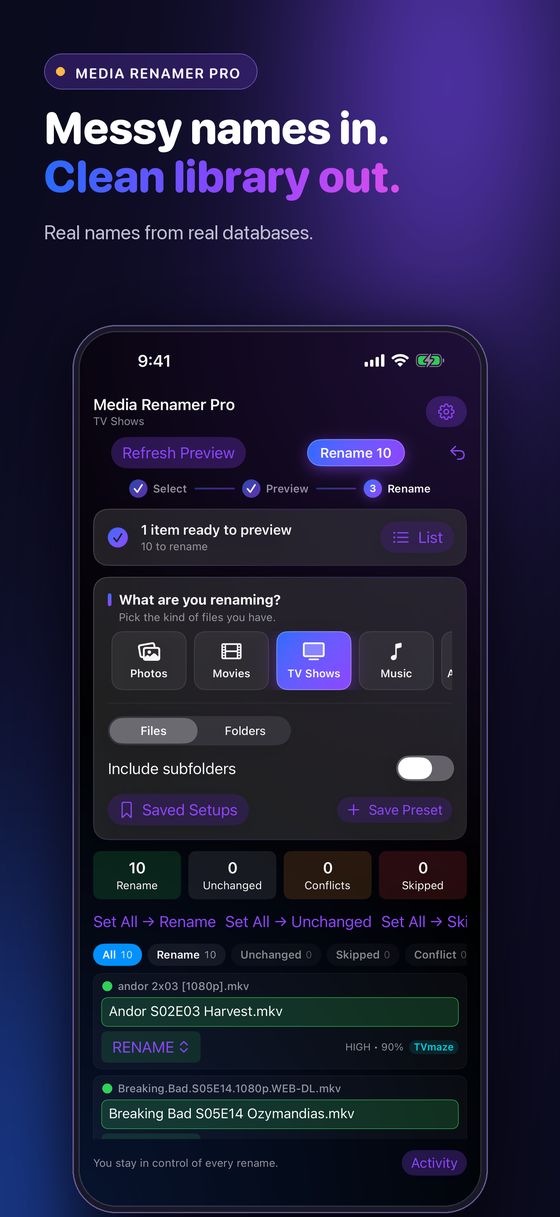
Ten messy TV filenames go in. The app looks up the real episode titles, shows every proposed name side by side, and renames all ten in one click. Undo puts it all back.
Recorded in Media Renamer Pro using copied filename fixtures. No media contents were changed.
Your first rename
Start with a copied folder of a few files. You will know within a minute whether it names things the way you like.
Why people keep it
One purchase, every device
A universal app. Buy it once and it runs on all three. On iPhone and iPad, pick any folder in Files or iCloud Drive, including folders on a network share, and rename right there.
Private by design
Renaming happens on your device. Apple Vision is the default photo engine and runs on-device. Optional cloud engines (OpenAI, Gemini and Anthropic) only send photos when you add your own key and choose that engine. Online title lookups and location lookups need a connection, and Local-Only Mode blocks every network request. No account, tracking, ads or telemetry in the app. This website has optional analytics that stays off unless you allow it. See Website privacy.
Guides
Things I have had to figure out, written down. Useful whatever renamer you use.
Rename what just arrived and leave the rest alone. Inbox folders, what counts as done, NAS drives that go missing, and Watched Folders.
Read the guide →Folder structure, SxxExx, absolute vs aired anime ordering, subtitles, NFO sidecars, and renaming safely over a NAS.
Read the guide →The layout that gets clean names on the first pass for every media type, files that start with S01E01, template tricks, and an FAQ.
Read the guide →Chains and swaps are what destroy files in a batch rename. Why one-at-a-time fails, and the probe most tools skip.
Read the guide →Base name matching, language codes, forced and SDH flags, the library setting everyone misses, and what renaming does to the .srt.
Read the guide →Atomic replace, free space, Finder tags and extended attributes, case sensitivity, and mid-batch failures.
Read the guide →Why parts play out of order, zero-padded part numbers, Title - Author flips, the Audiobookshelf folder layout, and a template that works on a NAS.
Read the guide →Questions
It is a one-time purchase of US $4.99 on the App Store. No subscription, no ads, no account, and one purchase covers Mac, iPad and iPhone.
No. It builds a rename plan and shows every old and new name side by side. Nothing on disk changes until you press Rename, and Undo reverts the last saved rename session.
Yes. The default TV and movie templates follow the naming those servers read, like Show S01E02 Episode Title and Movie (Year), and you can change them. The naming guide explains why.
Yes. Mount the share in Finder (or pick it in Files on iPhone and iPad) and preview as normal. In 1.4 you can save it as a Watched Folder and load only the new files.
No. TVmaze, OpenLibrary, MusicBrainz and RAWG need nothing. TMDb, OMDb and IGDB can use your own free key for better results.
More on the support page, or chat with other users on the Discord.
Requirements

Media Renamer Pro for Mac, iPad and iPhone. $4.99 once. No subscription, no account.